
Feedgrab is experiencing downtime. I’m hoping to have it up and running soon. Sorry for the hassle, the server is completely unresponsive in Hetzner so I’m trying to bring it back to life. If CPR fails, I’ll need to do a rebuild which will take a few hours. Please bear with me.
RSS. Nothing more, nothing less.
Feedgrab is a beautiful, simple RSS reader for calm and peaceful reading. Sign up for free today!
https://feedgrab.net
A new way to discover feeds
I've just shipped a quality of life improvement for adding a new feed in Feedgrab.
Previously, subscribing to a new feed meant knowing the exact URL – either the feed URL itself or the website URL. You'd paste it in, hit Subscribe, and Feedgrab would do the rest. That worked fine if you had the URL to hand, but it wasn't great for discovery.
Introducing search as you type
Now, the "add feed" input doubles as a search box. Start typing a name – "pagecord", "github", "photography" – and Feedgrab will search across all the feeds in its database, matching against titles, descriptions, and URLs. Results appear in a dropdown as you type.
If you already subscribe to a feed, it'll say so. If you don't, click the result to fill in the URL, then hit Subscribe.
If you have an exact URL the input works exactly as before. Paste a URL and the search step is skipped entirely.
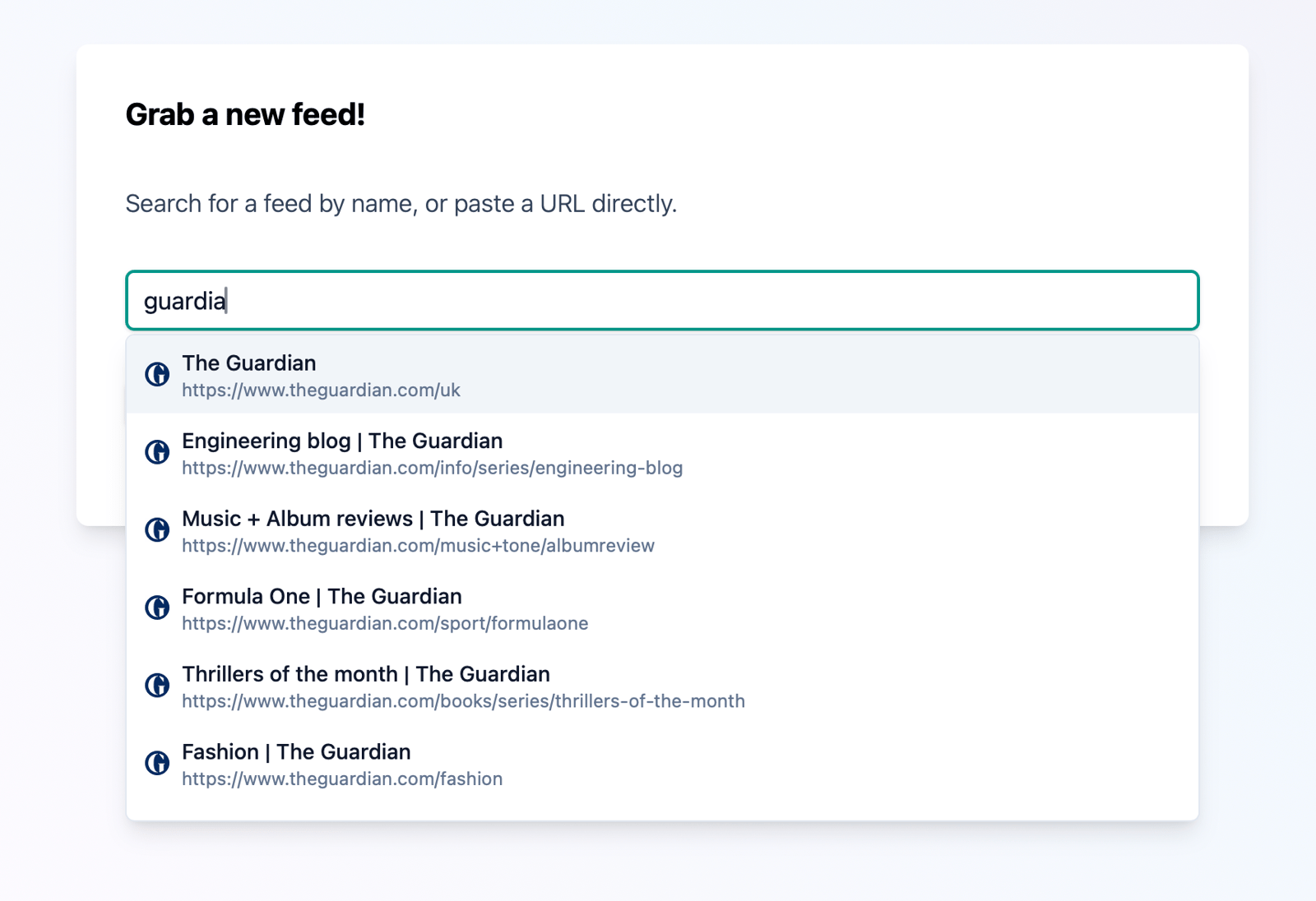
Keyboard friendly
The dropdown supports keyboard navigation. Arrow keys to move through results, Enter to select, Escape to clear and start over.
Built on what's already there
This feature searches the existing Feedgrab database – the one you can explore in the Discover section – which is build up from select feeds that other Feedgrab users subscribe to. The more people use Feedgrab, the better the search gets!
There's no external search API (💸💸💸), just the Feedgrab community's collective taste in feeds :)
To try it out, head to the add feed page and start typing. Hopefully you'll find it a useful way to discover what's already out there.
Retiring the Feedgrab Bluesky Account
I've decide to retire the much-unloved Feedgrab Bluesky account. It's one less thing to have to deal with.
As ever, all updates and announcements will be posted right here on the Feedgrab blog which hopefully you're subscribed to in Feedgrab itself!
Keyboard shortcuts in Feedgrab
Feedgrab now supports keyboard shortcuts for a bunch of common actions.
You can press ? at any time to see a list of what's available (and press Esc to close the overlay). Here's the current list so far.
Article view
Key |
Action |
|---|---|
<- or h |
Previous article |
-> or l |
Next article |
s |
Toggle starred status |
m |
Toggle read/unread |
q |
Return to the index view |
Article List
Key |
Action |
|---|---|
u |
Show unread articles |
r |
Show read articles |
s |
Show starred articles |
Hopefully this is a handy productivity improvement for those of you reading on a device with a keyboard.
Performance tweaks
Millions of articles have been grabbed from thousands of feeds over the past year, which is great to see but it does means keeping a close eye on the system to ensure things are running smoothly for everyone.
After digging into this, a few performance improvements have been rolled out to Feedgrab today. It wasn’t exactly slow, but there was enough lag for it to be noticeable when viewing the article list as well as when clicking through to view an article.
Following these changes hopefully it will feel a little bit snappier when clicking through to read your articles.
The most popular blogs on Hacker News 2025
I came across this OPML file of the most popular blogs on Hacker News over 2025.
You can download this file and upload it straight into Feedgrab. I’ve get to go through it, but I’m sure there will be some gems in there that I can feature in the Feedgrab Discovery section. Let me know which ones you think are worth adding!
Sort it out
You can now choose to sort your articles by newest or oldest first.
Look for the little sort icon on the right side of the Unread/Read/Starred tabs. Tap it to flip between "latest first" (the default) and "oldest first" for those of you who like to work through your backlog chronologically.
Your preference is remembered (per device!), so you won't need to set it every time you open the app.
That's it! A small feature, but a useful one for people who asked for it 😊
🧹 Sweeping articles under the carpet
I don't know about you, but when I'm scrolling Feedgrab on my iPhone there are often articles that I know I want to skip before I've even read the article. To mark these articles as read, I have to click on the article to view it, then go back to my list. This is not a massive PITA, but it's definitely a small one. So I've made a change to improve matters.
Now when you're viewing Feedgrab on your phone or tablet, you can quickly swipe left on an article in your feed list to mark it as read (or mark as unread if you're viewing your list of read articles).
Here's what it looks like in action.
You can also use this swiping technique to move to the next/previous articles when viewing an article. This isn't quite as slick as it could be visually, but it's functional and hopefully feels a bit more intuitive.
This feature is freshly baked in Feedgrab's AI developer warehouse, so there may be a few 🐛🦟 in there. If you spot anything weird, drop me an email and I'll try and get it fixed it.
Feedgrab has undergone some upgrades behind the scenes this weekend to keep it up to date with the latest libraries and whatnot. I found a few gremlins and I've sent them packing, but there may still be a few hiding in the dark corners. If you spot any issues when browsing your feeds, drop me an email and I'll try and sort it out.
Happy reading!
A few feed delays
I noticed that feed refreshing was backing up a bit over the last week so it's quite likely there will have been a delay with some of your articles appearing. Sorry about this!
I'm hoping the cause of this has been addressed so it should be much less likely to happen again in the future. Do drop me an email if you experience any issues.
📺 Feedgrab now supports YouTube!
Feedgrab now supports YouTube's flavour of RSS, so you can subscribe to your favourite broadcasters directly in Feedgrab! A much calmer way to get your content.
⊹╰(⌣ʟ⌣)╯⊹
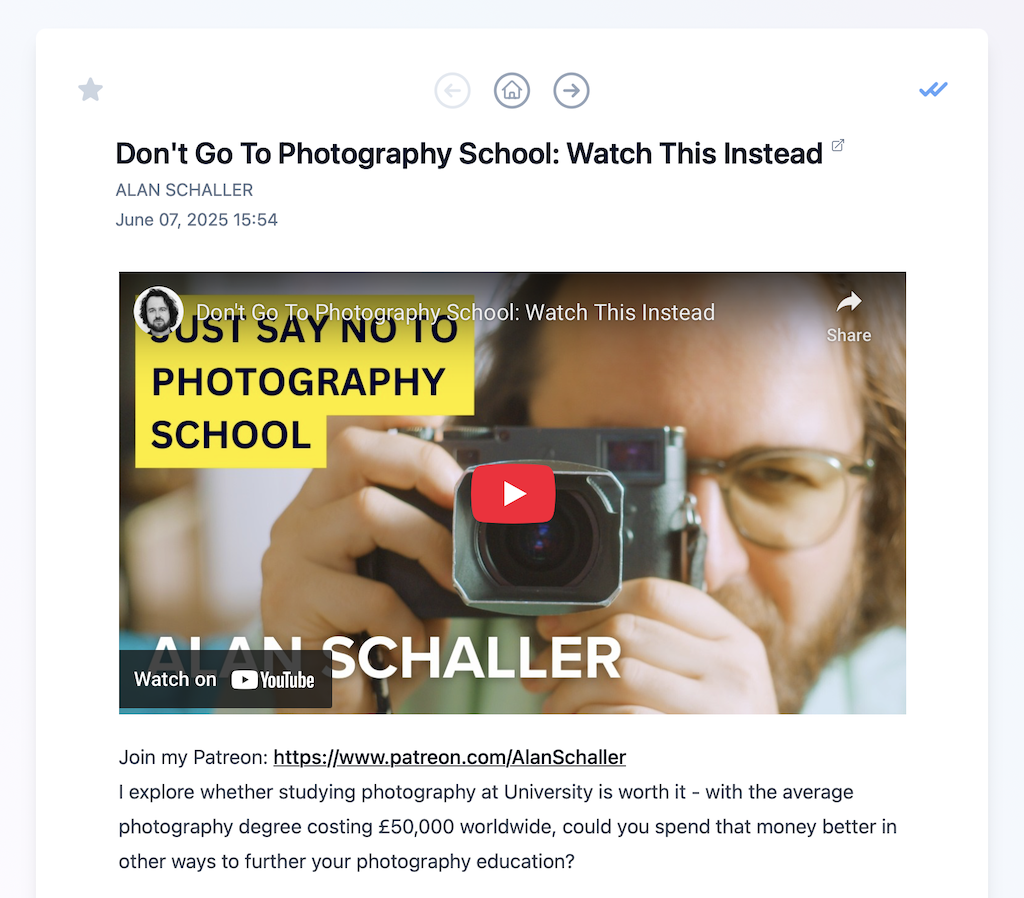
Let's have a look at how this works. One of my favourite YouTube channels is from photographer Allan Schaller. Here's his channel page:
Let's have a look at how this works. One of my favourite YouTube channels is from photographer Allan Schaller. Here's his channel page:
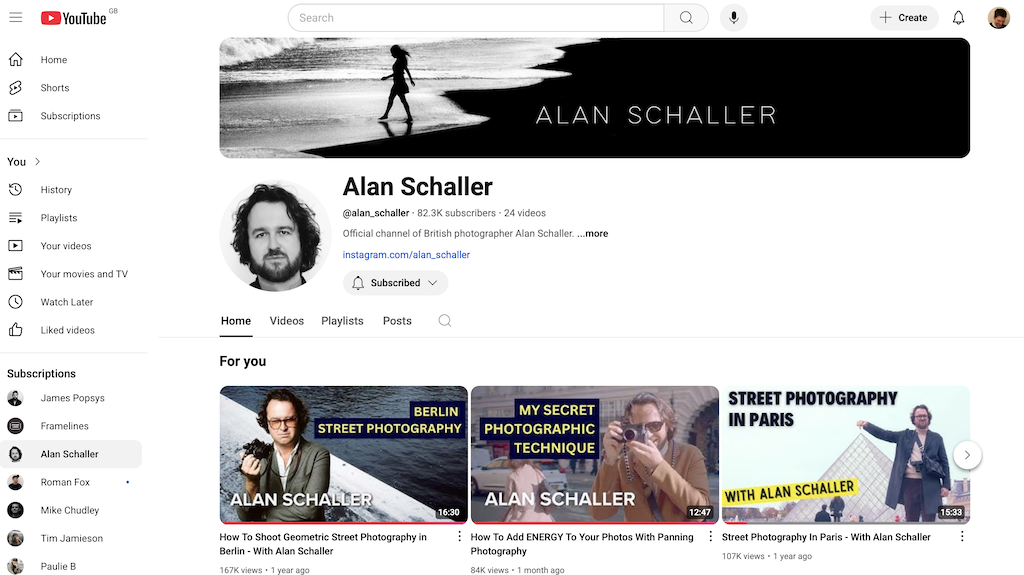
If you're using the Feedgrab Chrome or Firefox extension, you should see the badge to indicate it has found a feed – just click the icon to grab the feed! (Note: there's currently an issue preventing the Feedgrab overlay from working on YouTube, so you might not see the success message – just log into Feedgrab to check that it worked).
If you're using the Feedgrab UI, head to the new feed page and paste the channel URL:
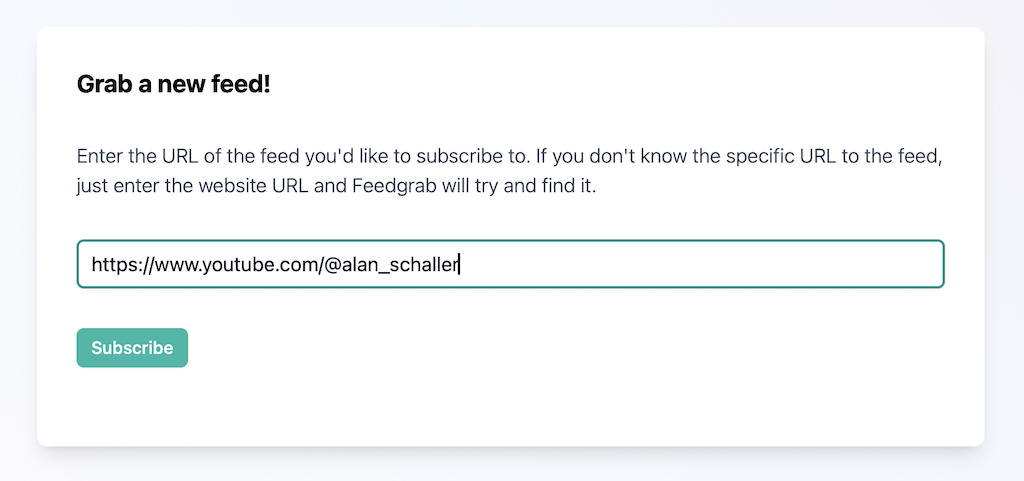
The channel URL should be in the form https://www.youtube.com/@channel_name. Click subscribe and a second or two later you should see a success message with a link to view the feed. Click that and you should see the latest videos:
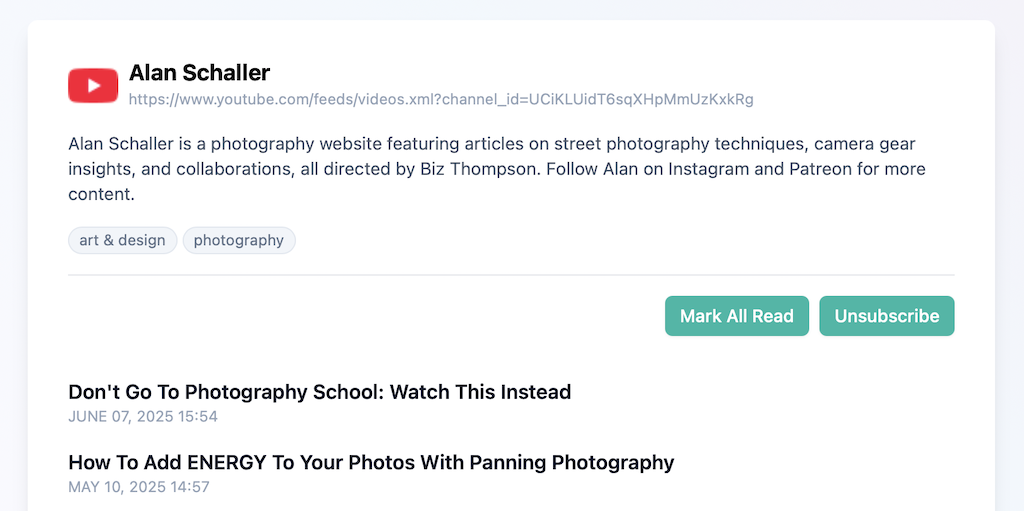
When you click through to view a video, you should see the YouTube video embedded directly in Feedgrab. Click to watch, or click the title to view it on YouTube.com.
This feature required quite a few changes so there may be the odd teething problem. If so, get in touch and I'll try and fix things up.
A new home for Feedgrab 🇫🇮
Feedgrab moved home this afternoon. It was previously sharing the same server as Pagecord in Germany, but today it has a server of its own, still with Hetzner but this time hosted in Helsinki, Finland! 🇫🇮
There's no specific reason for choosing Finland, other than I thought it sounded pretty cool as a location. Literally cool actually, given its far north location. According to a Hetzner press release, the Helsinki data centre also uses renewable energy to power and cool the data centre:
As with all of Hetzner’s locations, Data Center Park Helsinki uses cutting edge, innovative technology, and prides itself on the energy efficiency and high availability of its IT infrastructure. Plus, the company uses wind and hydro-based energy to power its entire Finnish operations.
There was a brief period of downtime while the database copied over but hopefully you won't have seen any disruption to your feeds and articles.
An update to Feedgrab's terms of service and privacy policy
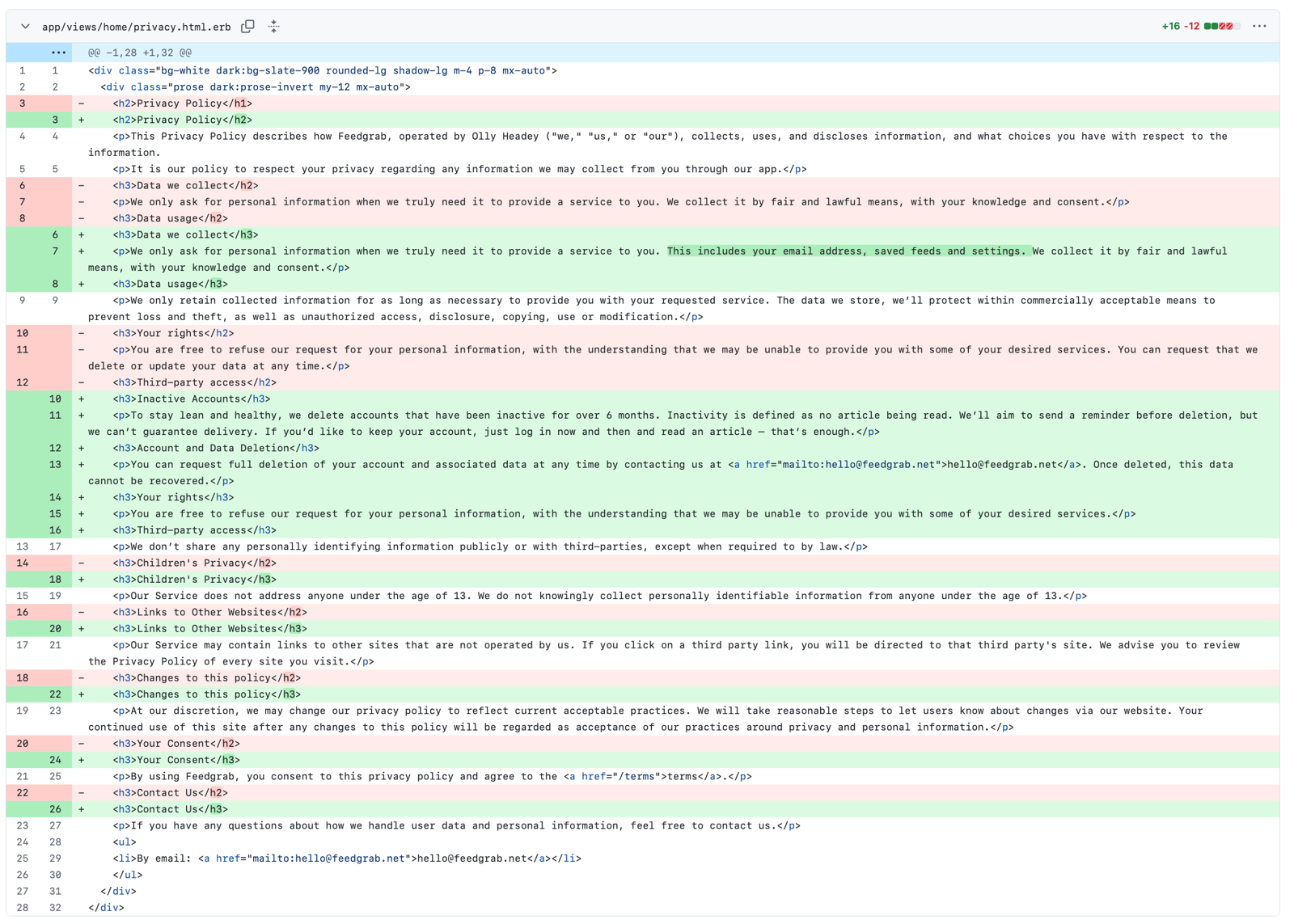
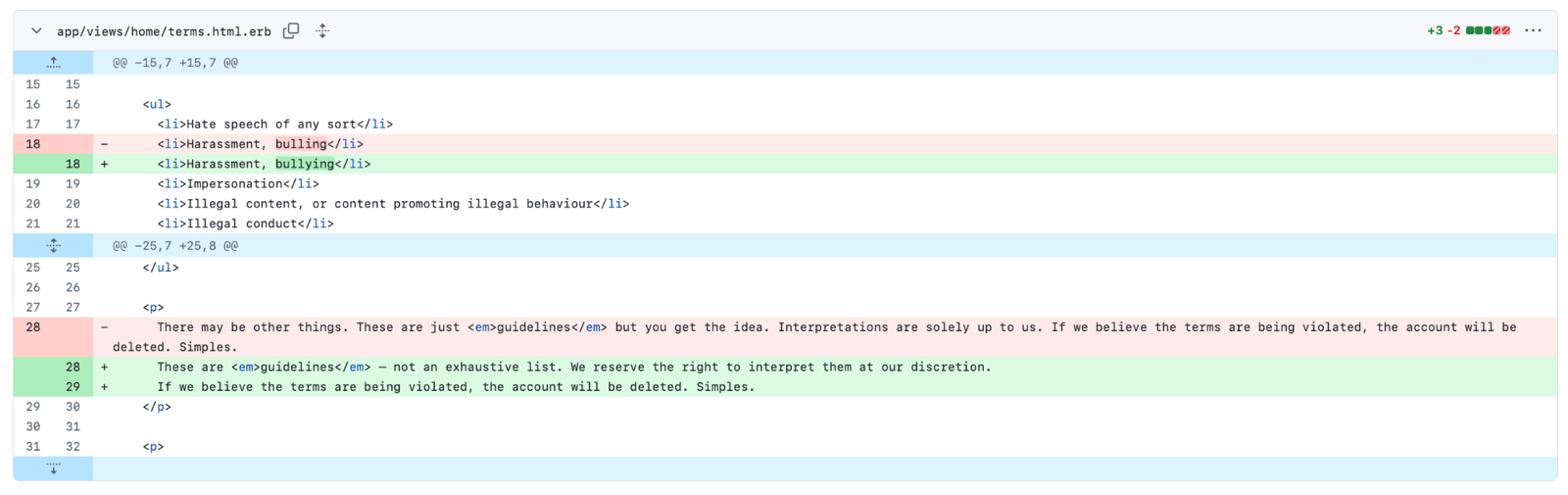
A few small changes have been made to the Feedgrab privacy policy and terms of service. The main change is a notification explaining that inactive accounts will be deleted after six months. A separate blog post will follow.
You can see a diff of the changes below.
Privacy Policy
Terms of Service
Emergency plumbing work has been successful
Feedgrab jobs have been backing up over the last 24 hours resulting in a delay adding new articles. I've taken out the digital plunger and unblocked the plug hole so everything should be back to normal shortly 🪠
A small tweak to the ordering of read articles
Your unread articles in Feedgrab are listed reverse chronologically by publication date. To put it more simply: the newest unread articles are at the top. This makes total sense.
The list of read articles is also listed by reverse chronologically by publication date. This, to me at least, is rather confusing. When I look at my read articles, I actually want to view them by the date I read the article not by the publication date of the article. I want the articles I've read today to be listed at the top, regardless of when they were published because it will make them easier to find.
I've now put this change live. Your list of read articles will now have a different order, which is hopefully more useful. Do let me know what you think.